
Table of contents
- Overview
- How quick login links work
- Why you must log out before testing
- Preventing data privacy issues
- Prevent triggering a cart-reminder when adding items to the cart
- FAQs
Overview
This article explains how quick login links simplify shop access for your customers and why you must log out of active sessions before testing or sharing new links.
How quick login links work
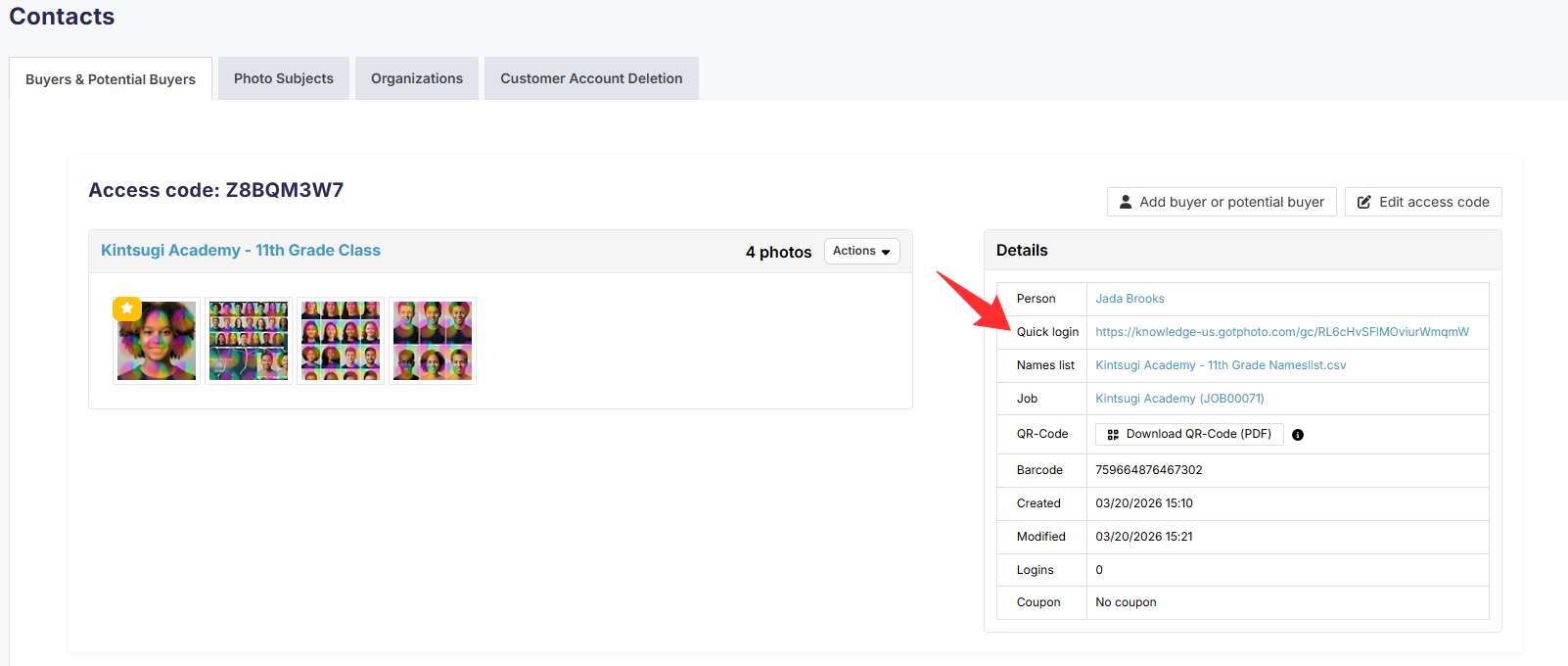
A quick login link allows your customer to visit your online shop without entering a traditional access code. The system automatically authenticates the user based on the unique access code assigned to that specific subject.
You can locate the quick login link by either clicking the access code from the Subjects Tab or clicking the access code in the subject's gallery in the Photo Management tab.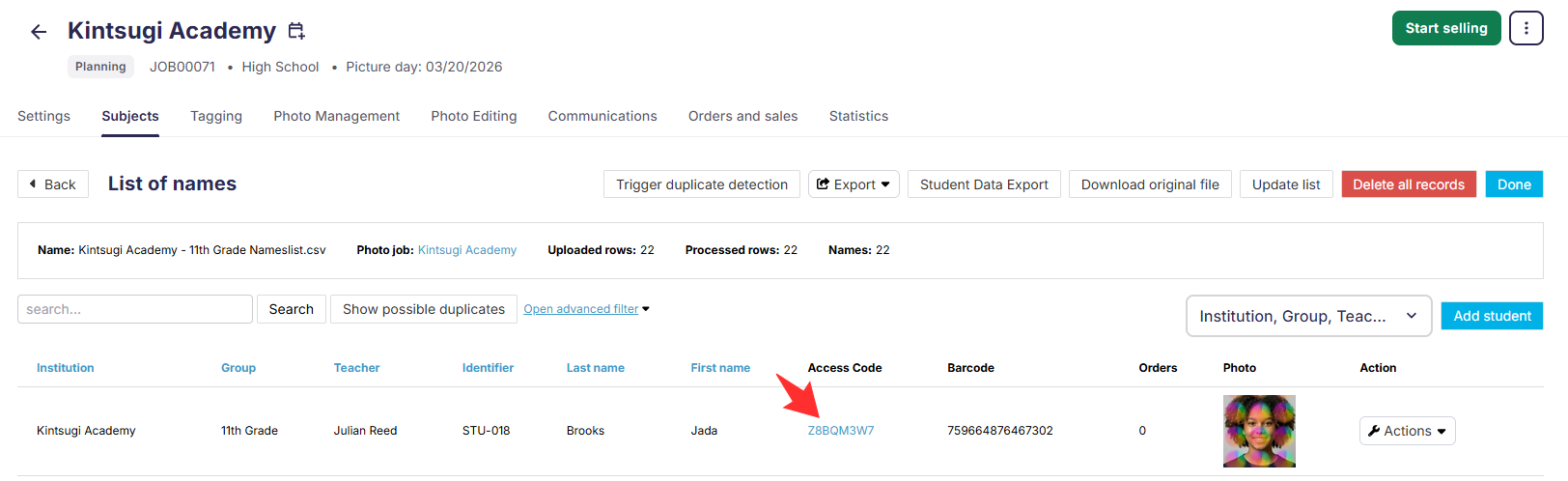
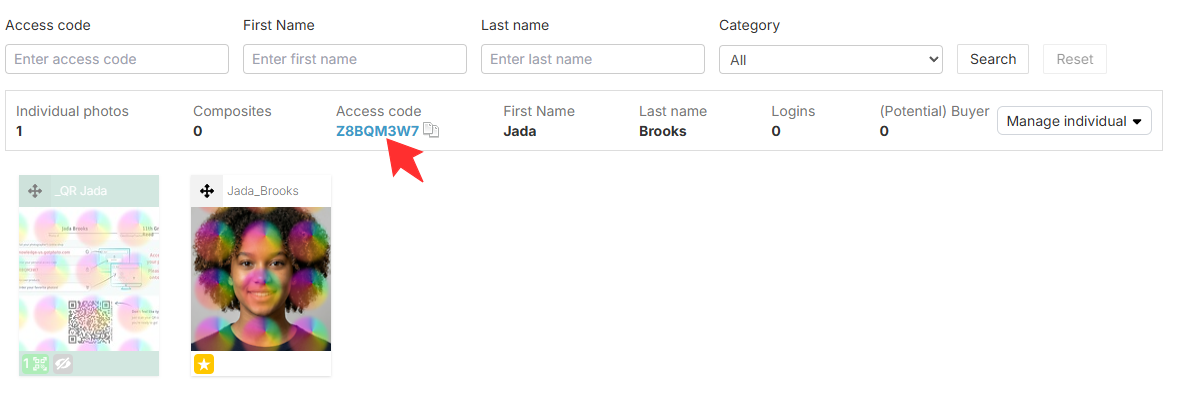
After you click on the access code, a new page will open with information for that access code. You can find the quick login link on the right-hand side under details.
Why you must log out before testing
Ensure you have a clean browser session before you share a quick login link with a customer. Always log out of your online photography shop before navigating to, viewing, or sharing a new quick login link for a different subject. If you want to check what a parent will see, you must clear your active session first. This practice guarantees that your browser generates a fresh request and displays the correct view for that specific individual.
Preventing data privacy issues
Remaining logged into an old session while attempting to access a new profile creates severe system conflicts. Staying logged in to one account while trying to share or view a link for another causes the system to retrieve data from the wrong subject profile.
For example, you might have entered several different access codes from the same job or across different jobs, and all of their images are showing in the shop. This overlap creates serious data privacy concerns, as a parent could accidentally view another subject's private photos instead of their own. Protecting customer data requires a strict logout policy between sessions.
Prevent triggering a cart-reminder when adding items to the cart
If you are testing specific shop behavior using a customer’s direct login link and add items to the cart, make sure to remove all items before the first configured cart reminder time window expires. Otherwise, the customer may receive an automated cart reminder email if applicable for your acount.
FAQs
What happens if I do not log out before clicking a new link?
The system may cache your previous session data, causing the online shop to display the incorrect subject profile or photos.
Can parents accidentally see other subjects' photos if I do not log out of the online shop when testing quick login links?
Yes. If you open your personal Quick Login and then log in using an additional Quick Login without first logging out, data overspill may occur. Logging out of each session before testing a new quick login link will prevent this issue.
The takeaway
Quick login links offer excellent convenience, but they require clean browser sessions to maintain data security. Always log out completely before testing new customer links to ensure data accuracy and protect subject privacy.