

Table of contents
Overview
Next Gen is GotPhoto's comprehensive volume sports graphics solution. It allows you to outsource sports graphics creation and manage it entirely through your GotPhoto account. While Next Gen supports virtual team photos, this guide explains how to create traditional in-person sports graphics and memory mates.
Your options
Next Gen offers two styles of traditional memory mate graphics:
Traditional
Description: A traditionally-shot team photo and athlete photo are placed side by side.

Price per athlete: From $0.15
Traditional+
Description: A traditionally-shot team photo and an extracted ("knockout") athlete photo are placed side by side.

Price per athlete: From $0.80
(1 pose + up to 3 graphics. View bundle pricing)
Video walkthrough
This short video explains how to request traditional sports graphics using Next Gen:
Workflow
Follow these steps to offer traditional graphics using Next Gen:
- Ensure all individual images are cropped for composition before submission. Images are used as-is.
- In the Next Gen checkout page, select Traditional or Traditional+ instead of Full Composite:

- For Traditional jobs: Choose a template from the dropdown. View Traditional templates
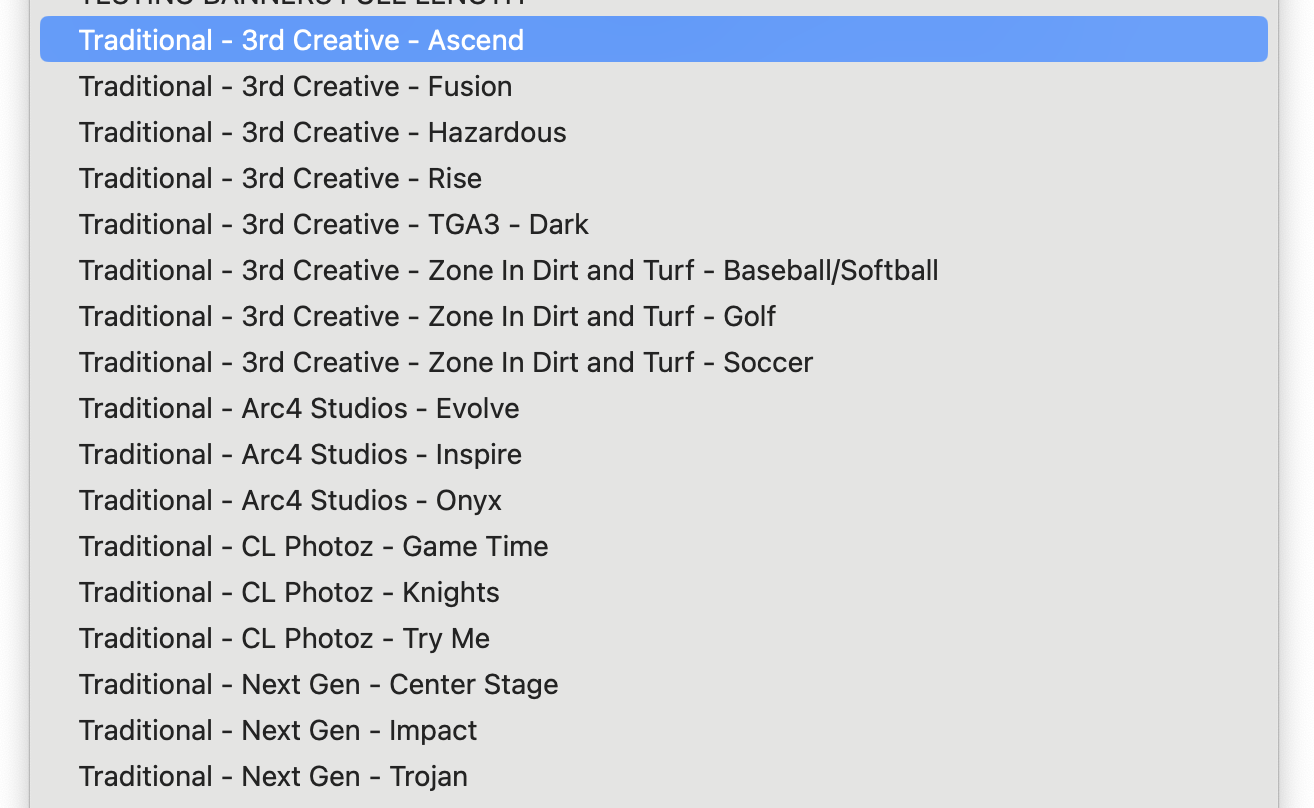
For Traditional+ jobs: Use any available template from Next Gen's template library⚠ Best practices: Template choice
Do not use templates where the athlete appears behind the team. These are designed for Full Composite and may result in awkward composition for Traditional+ graphics.

- If you upload 5 or fewer images per athlete, you’ll be prompted to Ignore team images or Move team images. You can only move it if no athlete has 5 individual images.

- If you have uploaded 6 images or more per athlete, the first image will be ignored by default. You can confirm or cancel your your editing request to re-arrange your images in the Photo Management tab.

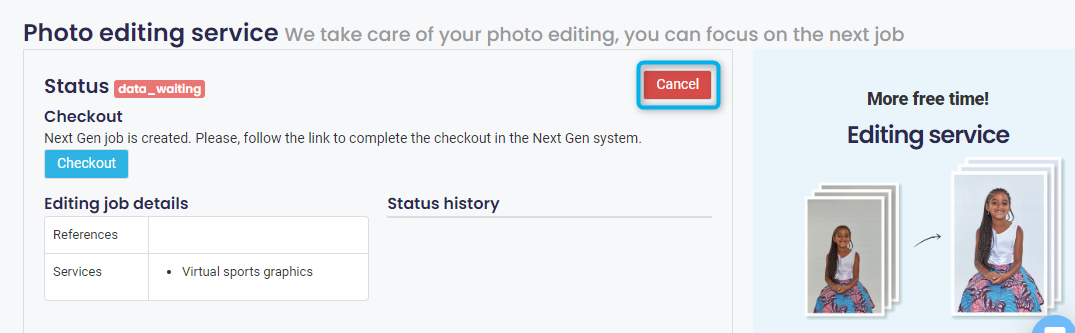
After canceling, refresh the Photo Management page. It may take a few moments for the update to process before you can access the photos again.
6. Upload your team photo.
⚠ Best practices: Crop your team photo
Crop to 8x10 or 8x12 at 300 DPI for best quality and consistency.

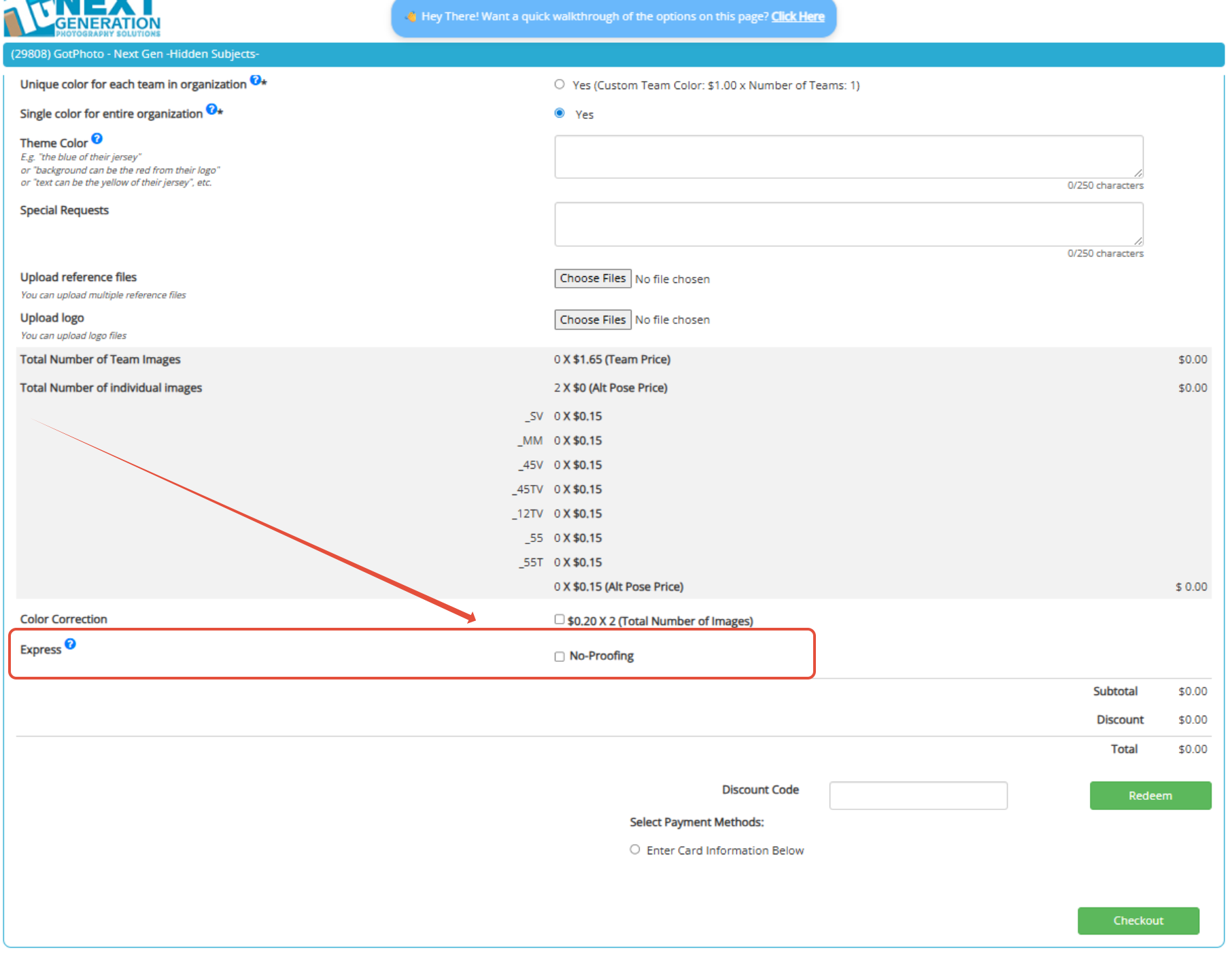
New (May 2026): Express (No proofing) option: During checkout for Traditional and Traditional Graphics, you can now skip the proofing step entirely, allowing your customers to receive their graphics even faster. In practice, this means the turnaround time for a small job with up to 200 images is typically just one business day.
We recommend using this option only if you’ve used the service before and are confident that no image review is necessary.
Related articles:
Next Gen: Common Questions & Answers
The takeaway
Next Gen makes it easy to create stunning traditional sports graphics. Choose between Traditional or Traditional+ styles and follow the steps to generate polished memory mates for your teams.